
BioniX Background Wallpaper App
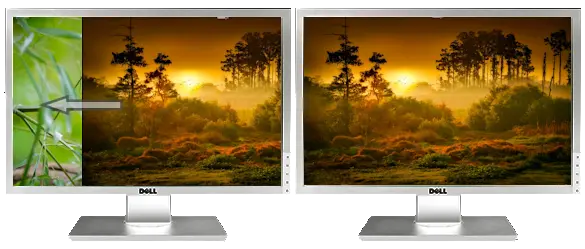
Change the background wallpaper with SlideShow
BioniX automatically changes the background wallpaper of your desktop at customizable time intervals, with or without a sliding effect.

Set live wallpapers with video wallpaper animator
You can display video wallpapers or GIF wallpapers as animated wallpapers directly on your Windows desktop. The program supports all common video formats (AVI, MPG, MP4, DIVX, H264, etc)..
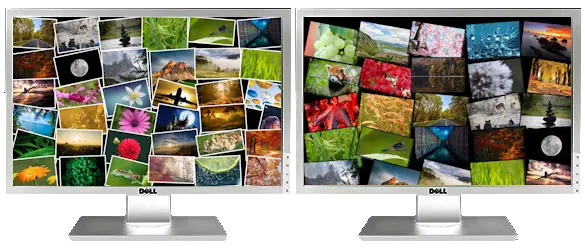
Make a photo collage with Photo Pile
Allows you to set a bunch of photos as a collage over your background wallpaper. You can adjust all kinds of parameters: distance between photos, the color of the photo border, etc.
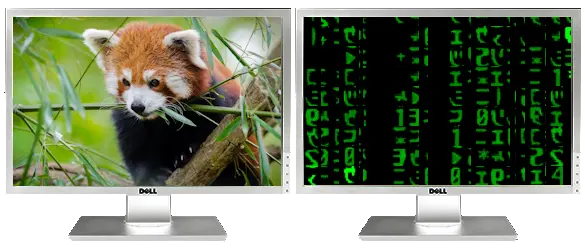
Show matrix animation as background wallpaper
You can display a Matrix-like background wallpaper on one or all your screens.
Add raindrops to your background wallpaper
RainDrop Wallpapers Animator animates your background wallpaper with cool rain droplets. The effect is customizable: you can have raindrops over the whole image or only over user-defined regions.
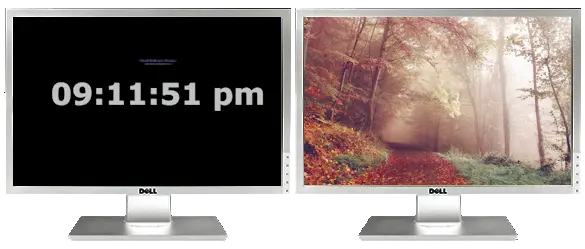
Show clock as background wallpaper
On the screen of your choice, you can display a huge digital clock over your background wallpaper. Additionally, you can set reminders for yourself. Therefore, it helps you keep track of time and avoid missing your appointments.
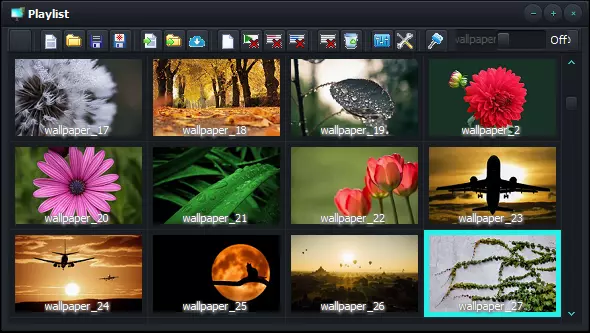
Use playlists organize your wallpapers
The playlist is plain and simply a piece of jewelry for organizing all your wallpapers. And it shows useful info, such as name/path, image resolution, file size, category, and rating. The 5 stars wallpapers will be displayed more often.
You can customize multiple aspects of your playlist editor.
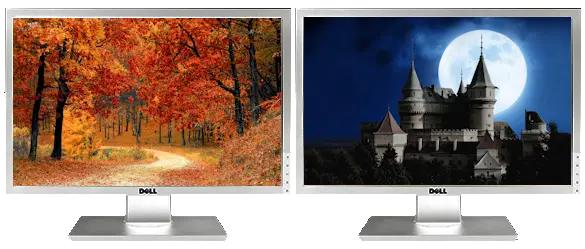
Multi-monitor support
BioniX auto detects dual-monitor or multi-monitor configurations and sets wallpapers as follows:
- Clone wallpaper on all monitors
- Individual wallpapers on each monitor
- Expand wallpaper on all monitors (for wide wallpapers)
xy
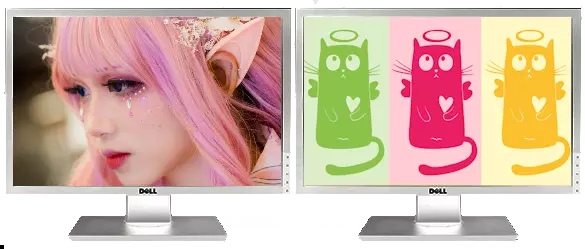
Hide wallpapers quickly
Quick! Your mum is coming! Hit the Panic button to replace that blonde picture you have on your desktop with something decent. And… don’t forget to pretend you’re busy!
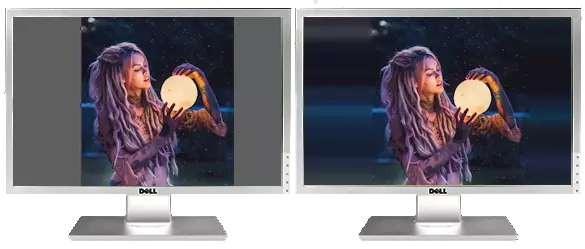
Blend in background wallpapers
BioniX automatically fills the desktop with a smart color when the images are smaller than your screen.
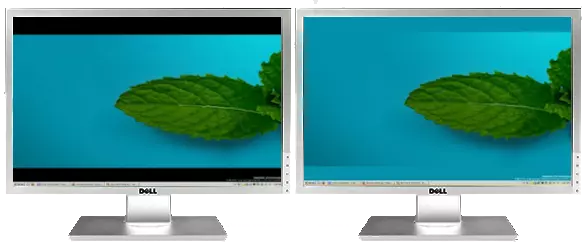
Smart background color
BioniX can fill the empty area of your desktop with a color matching the wallpaper. In this example, BioniX filled the top and bottom of the screen with solid blue. Cool right?
Smart streching of the background wallpaper
BioniX Background Wallpaper Changer can nicely zoom wallpapers even if their aspect ratio is different than your monitor’s.
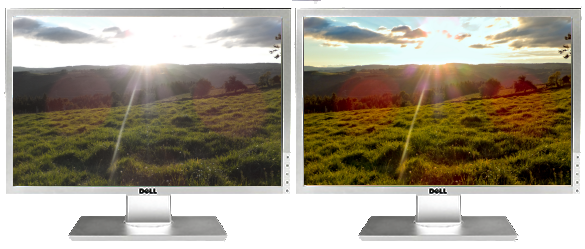
Enhance your background wallpapers
Poor wallpapers? BioniX allows you to enhance your wallpapers by changing their saturation, brightness, and contrast, etc.
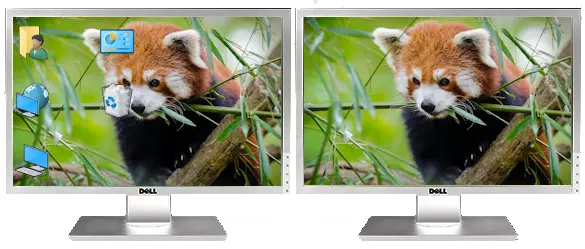
Hide desktop icons
Desktop icons can hide the best parts of your image. BioniX allows you to hide the icons so that you can see the entirety of your awesome wallpaper.
Add a calendar over the background wallpaper
BioniX can show a transparent calendar over your desktop wallpaper so you won’t forget your mum’s birthday (again).
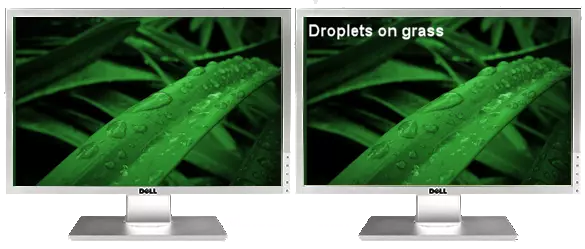
Show the background wallpaper name
BioniX can show the name of your current background wallpaper on top of your desktop. The text position is customizable.
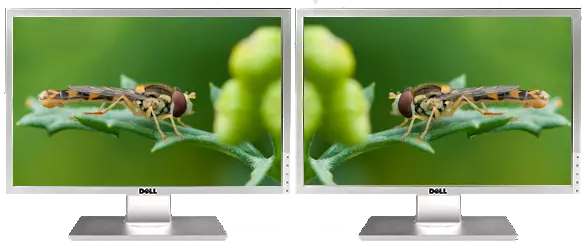
Flip the background wallpaper
BioniX can flip or mirror your desktop photo.
Time specific background wallpaper
With BioniX you can set specific wallpapers at specific hours of the day. The time is extracted from the wallpaper name automatically. For example, BioniX can show a sunrise wallpaper at 8:00 AM and a sunset wallpaper at 8:00 PM.
Day/night background wallpapers
Day/Night feature allows BioniX Wallpaper Changer to show bright wallpapers during the day and dark wallpapers during the night.
If you chose the option “day/night” wallpaper, BioniX will check the image file name for keywords related to day and night, and will display the images accordingly.
Rotate your digital camera photos automatically
Digital cameras automatically add a special field, called EXIF, to photos. EXIF contains miscellaneous information about the picture such as camera orientation (portrait/landscape), GPS coordinates, etc. BioniX uses this information to automatically rotate your digital camera photos.
You can also manually rotate your wallpapers.
BioniX Wallpaper App has by now so many awesome features! Download the program and discover them!
Always tuned on our frequencies
BioniX can automatically check for software updates once per day. For those that haven’t heard yet, the updates are free!
Dynamic webcams as background wallpapers
BioniX can use dynamic images from a life webcam (beach, street view, bird’s nest, etc) as wallpaper.
Strip all background wallpapers from any web page
Have you stumbled over a web page with lots of cool images? But now you have to manually download them, one by one… or… not? With BioniX Wallpaper Changer you can download all images from a web page at batch and instantly add them to the current playlist.
Lock on folder
This absolutely unique function allows BioniX to actively monitor a specified folder. The program will automatically update its playlist as you add (or delete) files to that folder.
Change the background wallpaper once at startup
BioniX Wallpaper can change the wallpaper once, at computer startup, then shut down itself.
Integrated screensaver
The screensaver function displays your preferred digital photos as a screensaver when you are not working on the computer 🙂 .
Open background wallpapers in graphical editor
BioniX allows you to define a preferred image editor (e.g. Paint or PhotoShop) and open any wallpaper in the editor so you can quickly edit it.
Icon to system tray
BioniX can minimize its icon to the system tray. BioniX will display in the icon the count down until the refresh of the background wallpaper (remaining time until next wallpaper) . Also, a handy pop-up menu will show up if you right-click the system tray icon.
State of the art resamplers
The word “resampler” may not ring a bell for some, but believe us, when you are working with images this is the first thing you should look after! A resampler is a special algorithm used to resize an image. Resizing a picture using poor resamplers will ruin it. BioniX offers you state-of-the-art resamplers, some of them impossible to find even in professional image processing tools.
Control your BioniX with a single stroke
BioniX supports system-wide shortcuts. These are combinations of keys that you can use even if BioniX is minimized/not visible on screen. For example, you can press “Control+Alt+N” to switch to the next wallpaper or “Control+Alt+I” to hide the desktop icon, or “Control+Alt+P” to go to Panic mode.
Don’t suck my battery!
BioniX can be set NOT to change your background wallpaper if the CPU is busy (if you are playing a game, for example) or if your laptop is running on batteries. BioniX displays info about your battery status and can announce to you when the laptop switches from AC to batteries.
Smart tiling of the background wallpaper
With BioniX even low-resolution images can be used as background wallpapers.
Smart algorithms tell BioniX when it is necessary to tile an image or to mirror them (both horizontal and vertical mirror effects are supported).
Integrate aditional tools
BioniX seamlessly integrates with “CategorizeThis!” and “Painless Image Resizer”, two programs that will make your life easier and your desktop wallpapers prettier.
Perfect tiling of the background wallpaper
If an image needs to be tiled and its height is pretty big (over 50% of desktop’s height) BioniX will tile it only horizontally and then display it as background wallpaper.
Support Webshot files
BioniX provides support for Webshot WB1 background wallpapers (Webshots users will really appreciate this).